
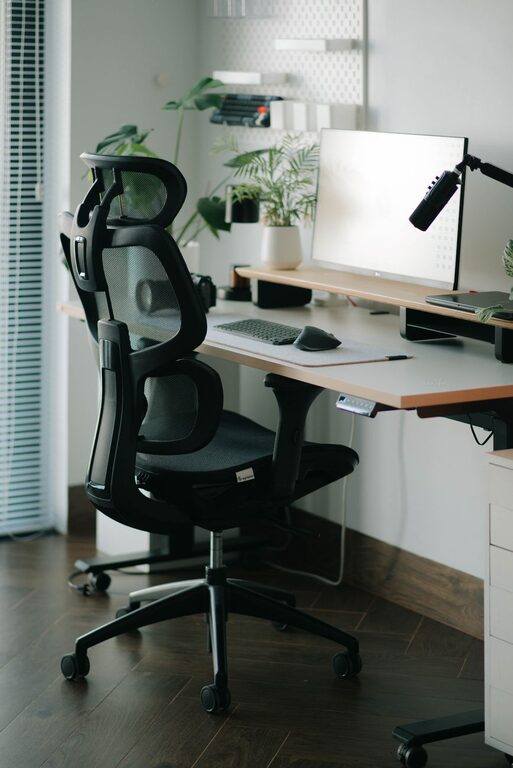
Creating a desk setup that promotes both focus and comfort is essential whether you work from home or in an office. Your workspace can directly impact your productivity, mood, and overall well-being. In this post, we’ll explore practical tips to optimize your desk setup to help you stay comfortable, minimize distractions, and maintain concentration throughout the day.
Why a Good Desk Setup Matters
A well-organized, ergonomic workspace reduces physical strain and mental clutter. When your desk supports your work style and physical needs, you can work longer and more effectively. Conversely, a poorly arranged space might cause discomfort, distractions, or fatigue, which leads to reduced productivity.
Choose the Right Desk and Chair
Desk Height and Size
Select a desk that fits your space and accommodates your work essentials without overcrowding. The ideal desk height usually falls between 28 to 30 inches for most people, but adjustable desks offer flexibility to suit your specific needs.
Ergonomic Chair
Investing in a comfortable ergonomic chair is one of the best steps for long-term comfort. Look for chairs with adjustable height, lumbar support, and cushioned seats. Your feet should rest flat on the floor or a footrest, and your knees should be roughly level with your hips.
Position Your Monitor Properly
Your computer monitor’s placement can greatly affect your posture and eye comfort.
– Eye Level: The top of your monitor screen should be at or just below eye level. This prevents neck strain.
– Distance: Place the monitor about an arm’s length away from your eyes (roughly 20–30 inches).
– Angle: Tilt the monitor slightly upward (around 10–20 degrees) so your gaze naturally falls on the screen.
If you use multiple screens, position them at the same height and distance to avoid excessive neck rotation.
Optimize Lighting
Good lighting reduces eye strain and improves alertness.
– Natural Light: Position your desk near a window if possible, but avoid direct glare on your screen.
– Task Lighting: Use a desk lamp with adjustable brightness to illuminate your workspace without causing reflections.
– Avoid Overhead Harsh Lighting: Soft, diffused light helps reduce eye fatigue.
Organize for Minimal Clutter
A clean desk fosters a clear mind. Here are some tips to keep your workspace organized:
– Limit Desktop Items: Keep only frequently used items on your desk to reduce distractions.
– Use Storage Solutions: Utilize drawers, shelves, or organizers for documents and supplies.
– Cable Management: Use clips, ties, or cable sleeves to keep wires tidy and prevent tangling.
Incorporate Comfort Accessories
Small additions can make your workspace more comfortable and inviting.
– Keyboard and Mouse: Ergonomic options with wrist support help prevent strain during long typing sessions.
– Footrest: If your feet don’t comfortably reach the floor, a footrest encourages better posture.
– Wrist Rests: These provide cushioning to reduce wrist fatigue.
– Plants: Adding a small plant can improve air quality and create a calming atmosphere.
Establish a Routine and Personalize Your Space
How you use your desk matters as much as how it looks.
– Take Breaks: Stand up, stretch, or walk around every 30–60 minutes to reduce stiffness.
– Personal Touches: Add photos, artwork, or motivational quotes to create a space that feels welcoming.
– Noise Control: Use noise-canceling headphones or soft background music to minimize distractions.
Consider Standing and Movement Options
Sitting for extended periods can lead to fatigue. Consider these alternatives to boost comfort:
– Sit-Stand Desk: Adjustable desks allow you to alternate between sitting and standing.
– Anti-Fatigue Mat: If standing, use a cushioned mat for support.
– Desk Treadmill or Balance Board: For active movement while working.
Final Thoughts
Your desk setup should support both your body and mind. By focusing on ergonomics, lighting, organization, and personalization, you create a workspace that encourages productivity and comfort. Take time to adjust your setup regularly as your needs and tasks change. A well-designed desk setup is a key ingredient to a successful, enjoyable workday.