
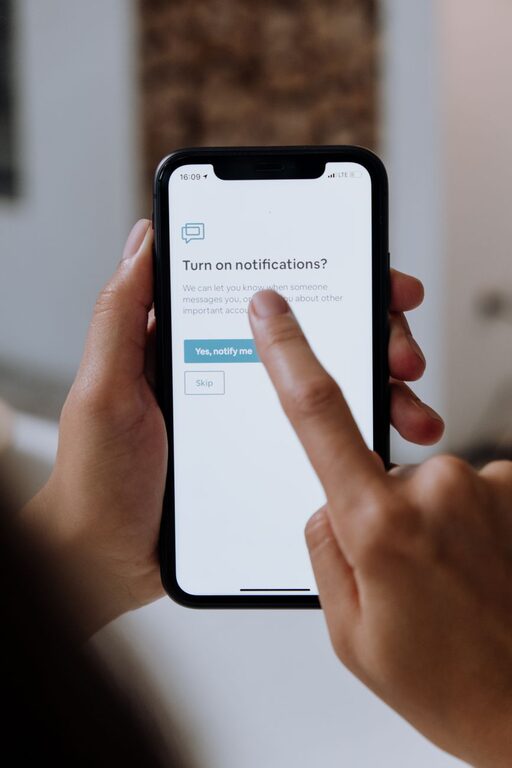
In today’s connected world, notifications are everywhere. From emails and social media alerts to app reminders and news updates, it’s easy to feel overwhelmed by a constant stream of digital interruptions. While notifications can be useful, too many can disrupt your focus, increase stress, and reduce overall productivity.
Setting clear boundaries with notifications is key to managing your time and attention more effectively. In this post, we’ll explore practical tips to help you take control over how and when you receive notifications, so you can enjoy a more balanced digital experience.
Why Set Boundaries with Notifications?
Before diving into strategies, it’s helpful to understand why managing notifications matters:
– Reduce distractions: Frequent alerts can pull your attention away from important tasks.
– Improve focus: Less interruption means deeper concentration and better work quality.
– Lower stress: Constant notifications can increase anxiety by creating a sense of urgency.
– Enhance work-life balance: Controlling notifications helps prevent work from creeping into personal time.
With these benefits in mind, here are some actionable tips for setting boundaries with your notifications.
1. Audit Your Notifications Regularly
Start by reviewing which apps and services send you notifications. Ask yourself:
– Do I need to be notified every time?
– Which alerts actually add value?
– Which notifications can I turn off safely?
Most smartphones and computers allow you to customize notification settings per app. Consider disabling alerts for less important apps entirely and prioritizing only essential notifications. This practice reduces noise and helps you focus on what truly matters.
2. Use “Do Not Disturb” or Focus Modes
Modern devices often include “Do Not Disturb” (DND) or Focus modes. These features allow you to temporarily silence notifications except for selected contacts or apps.
– Schedule DND for work hours or sleep time to avoid interruptions.
– Use Focus modes tailored for specific activities, like “Reading” or “Meeting,” to minimize distractions.
– Customize exceptions to ensure you don’t miss urgent messages.
Activating these modes consistently can create healthy boundaries between your digital and offline time.
3. Set Specific Times to Check Notifications
Instead of reacting to notifications as they arrive, establish dedicated times to review them. For example:
– Check emails three times daily: morning, midday, and late afternoon.
– Review social media or messaging apps during breaks.
– Avoid looking at notifications right after waking up or before bedtime.
By batching notification checks, you maintain control and reduce the urge to constantly switch tasks.
4. Customize Notification Types and Sounds
Not all notifications are equal. You can often customize how an alert appears or sounds.
– Use silent or less intrusive notification tones for non-urgent updates.
– Disable pop-ups or banners that disrupt your workflow.
– Enable badges or notification counters instead of audible alerts.
These subtle changes help you stay informed without overwhelming your senses.
5. Prioritize People Over Apps
For many, the most important notifications come from people, not apps. Set your device to allow calls or messages from family, close friends, or coworkers even when notifications are limited.
This way, you won’t miss critical communications while still keeping distractions minimal.
6. Turn Off Push Notifications for Low-Priority Apps
Push notifications are automatic alerts sent directly to your device. While useful for some apps, they often cause unnecessary interruptions.
Consider turning off push notifications for:
– Games or entertainment apps
– Shopping or promotional messages
– News apps that send constant updates
Instead, open these apps when you want to check new content actively.
7. Use Email Filters and Notification Settings
Email can be a major source of notifications. To manage this:
– Create filters to sort emails into folders based on topics or senders.
– Disable notifications for less important email accounts.
– Use email apps that summarize or batch notifications.
Organizing emails helps prevent constant alerts and makes it easier to focus on priority messages.
8. Practice Mindfulness and Digital Wellness
Setting boundaries isn’t just about technology—it’s also about mindset.
– Be mindful when using devices and notice how notifications affect your mood or concentration.
– Take regular breaks from screens to recharge.
– Reflect on your notification habits and adjust them as needed.
Developing awareness leads to healthier digital habits over time.
9. Communicate Your Boundaries to Others
If you’re limiting notifications for work or social apps, let colleagues, friends, or family know when you’re unavailable or may respond later. Clear communication helps manage expectations and reduces pressure to respond immediately.
10. Review and Adjust Periodically
Your notification needs may change depending on your schedule or priorities. Regularly revisit your settings and habits to make sure your boundaries still work effectively.
—
By setting thoughtful boundaries around your notifications, you can regain control over your time and attention. Experiment with these tips to find the balance that best suits your lifestyle. Remember, technology should serve you—not the other way around!